How to translate an SRT file without breaking timestamps
Translate an SRT file and keep timestamps: compare four methods, check cue counts and indices with Python, and review what subtitle QA cannot prove.
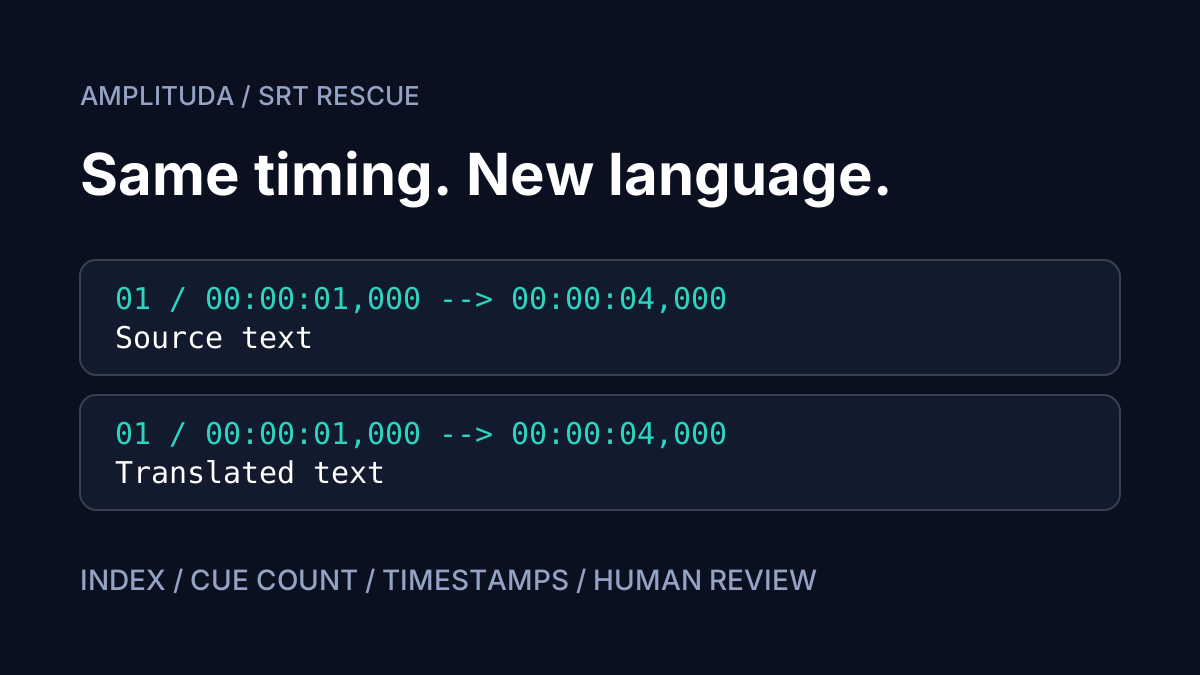
To translate an SRT file and keep timestamps, change the dialogue while preserving the relationship between each cue, its index and its start and end times. Then compare the exported file against the source. A request to preserve formatting is useful, but the downloaded result is what you need to verify.
This guide starts with a subtitle file you already own or have permission to use. Perhaps it belongs to an interview, a training lesson or a product walkthrough. The goal is a translated track for the same edit of the video. You will compare four approaches, run a small structural check, and identify the decisions that still belong to a human reviewer.
What can break when you translate an SRT file?
The Library of Congress description of SRT identifies the numbered block, timing line, caption text and blank separator. That makes a useful working boundary: translate the text attached to a cue, then verify its structural fields against the original.
Merged cues, split cues and changed indices
A spoken sentence may continue across several subtitle blocks. Joining those blocks into one fluent paragraph changes when parts of the sentence appear. Splitting a block creates the opposite problem: someone must decide how to divide the available time. Both can be valid editorial choices, but they need a separate timing pass when the brief is to preserve the original timestamps.
Cue numbers also need inspection. Missing numbers, duplicates and automatic renumbering after a deletion are different issues. A clean sequence from 1 to N does not establish completeness: a missing cue can disappear behind renumbering. Compare the total count and the timing pair for every position as well.
Missing dialogue and an incomplete ending
Do not accept a file because its first few blocks look right. Inspect the final cue and compare it with the source ending. Also look for blank dialogue, repeated text and missing replies inside a block. Two files can have identical timing lines while the wrong words sit beneath them.
Keep the original unchanged. Record the video edit: translating an old SRT does not synchronise it with a recut.
CP1251, UTF-16 and damaged characters
An .srt extension does not tell you how the text bytes were encoded. An older Cyrillic file might be CP1251; another file might be UTF-16. If known words already look corrupted, resolve the encoding before translation. Otherwise you are asking a translator to interpret damaged input.
The Subtitle Edit help page documents importing with a manually chosen encoding and recommends UTF-8 for new subtitles. Open a copy, confirm that a recognisable line displays correctly, and save the working version as UTF-8. Avoid silently replacing undecodable characters: that can lose part of a name before translation begins.
Line breaks, names and terminology
A line break within a cue is different from the blank separator between cues. Rewrapping translated dialogue may improve its appearance; removing a separator can change the block structure. Keep the dialogue attached to its original cue, then assess wrapping with the actual video and player.
Prepare a short glossary before processing. Include preferred spellings for names, product labels, abbreviations and technical terms. Add context when a word has several meanings. Afterwards, search for those terms across the result. A glossary is an instruction to apply, not evidence that every occurrence has been handled correctly.
Four ways to translate SRT files and keep timestamps
Choose by the control you need. Each workflow still needs an acceptance check on the exported file.
| Method | Useful for | Tradeoff to check |
|---|---|---|
| Manual subtitle editor | Scene context and precise wording | Time and accidental edits |
| Machine translation of a file | Processing existing caption blocks | SRT support and data handling |
| General AI chat | Discussing meaning and alternatives | Omissions, merges and incomplete output |
| Dedicated subtitle service | A defined translation and QA workflow | Limits, price and report scope |
1. Translate manually in Subtitle Edit or Aegisub
Work through a copy of the subtitle track with the video available. The Aegisub editing documentation describes editing subtitle rows, text and timing. Decide before starting whether timing fields are part of your brief. When they are not, treat any timing change as something to investigate.
The advantage is immediate access to scene context: who is speaking, what a pronoun refers to and whether a pause is meaningful. The cost is attention across every cue. A structural comparison remains useful after manual work because an accidental deletion is still possible. Test the export on a copy before committing to a workflow.
2. Use a machine translation tool with SRT file support
Look for explicit support for subtitle files rather than assuming that document translation accepts them. For example, DeepL documents SRT upload and download. Check the selected tool’s current language support, access requirements and handling of uploaded material before using your file.
This avoids manually moving every caption between windows. Try a representative copy and compare the exported timings. Context and readability still need review.
3. Ask a general AI chat to translate subtitles
A chat can help you explore ambiguous dialogue or choose terminology. For a whole-file response, your checks should cover merged blocks, skipped cues, changed numbers, explanatory text around the subtitles and an incomplete ending. These are failure cases to test, not measured error rates for a particular model.
Specify: translate only cue text, retain indices and timing lines, keep every block and return the entire range. Record chunk boundaries and inspect the joins. The benefit is flexibility; assembling and verifying the SRT remains your responsibility.
4. Use a dedicated SRT translator and QA service
Check that the service accepts an existing SRT or VTT and explains what its QA output covers. A defined process can bring translation and review findings together. Its limits include file restrictions, upload rules and the scope of the report. Confirm whether a free feature is translation or only validation before planning the job.
Subtitle translation QA: a five-minute first check
Use this as a first pass, not a promise to proofread a full film in five minutes. Findings may require a longer review. Start with the source and translated files saved separately, both matched to the same video version.
Step 1. Compare cue counts and indices
Check the number of blocks before and after, the numbering sequence, duplicate indices and empty dialogue. The script below expects ordinary sequential SRT numbered from 1. If the source uses a different convention, investigate before changing it. Renumbering only the output can conceal the point where content went missing.
Step 2. Check timestamp differences with Python
Save this code as check_srt.py and run: python check_srt.py source.srt translated.srt. It needs Python 3 and no additional packages. It reads UTF-8 with or without a BOM and handles Windows or Unix line endings. It validates blocks and positive durations, then compares indices and timing pairs.
import re
import sys
from pathlib import Path

STAMP = r"[0-9]{2}:[0-5][0-9]:[0-5][0-9],[0-9]{3}"
TIMING = re.compile(rf"({STAMP}) --> ({STAMP})")

def milliseconds(stamp):
    h, m, s, ms = map(int, re.split(r"[:,]", stamp))
    return ((h * 60 + m) * 60 + s) * 1000 + ms

def load(path):
    text = Path(path).read_text(encoding="utf-8-sig")
    if "\x00" in text:
        raise ValueError(f"{path}: convert to UTF-8 first")
    blocks = re.split(r"\n[ \t]*\n", text.strip())
    cues = []
    for position, block in enumerate(blocks, 1):
        lines = block.splitlines()
        if len(lines) < 3 or lines[0] != str(position):
            raise ValueError(f"{path}: invalid index/block {position}")
        match = TIMING.fullmatch(lines[1])
        if not match or not any(line.strip() for line in lines[2:]):
            raise ValueError(f"{path}: invalid timing/empty cue {position}")
        if any("-->" in line for line in lines[2:]):
            raise ValueError(f"{path}: possible merged block {position}")
        start, end = match.groups()
        if milliseconds(end) <= milliseconds(start):
            raise ValueError(f"{path}: nonpositive duration {position}")
        cues.append((lines[0], start, end))
    return cues

def main():
    if len(sys.argv) != 3:
        print("Usage: python check_srt.py source.srt translated.srt")
        return 2
    try:
        source, target = map(load, sys.argv[1:])
        if len(source) != len(target):
            raise ValueError(f"cue count: {len(source)} != {len(target)}")
        for position, (before, after) in enumerate(zip(source, target), 1):
            if before != after:
                raise ValueError(f"cue {position}: {before} != {after}")
    except (OSError, UnicodeError, ValueError) as error:
        print(f"FAIL: {error}")
        return 1
    print(f"PASS: {len(source)} cues; indices and timestamps unchanged")
    return 0

if __name__ == "__main__":
    sys.exit(main())
PASS means matching counts, indices and timestamps. FAIL identifies the first issue and returns exit code 1. This is a deliberately strict SRT comparison: consecutive indices starting at 1, standard timing syntax and no extra positioning fields. Convert CP1251 or UTF-16 to UTF-8 first. The script does not parse VTT.
It cannot prove that the right translated words belong to each cue, measure translation accuracy or find every readability issue. It does not check gaps or overlaps between adjacent cues. Matching timestamps also preserve any synchronisation problem already present in the source, so inspect those separately against the picture.
Step 3. Watch representative captions with the video
Inspect the opening, middle and ending, plus a few short and long cues. Check wrapping, visible characters, gaps and overlapping captions at the intended viewing size. A gap might be silence; an overlap might reflect simultaneous speech. Treat a warning as a review task rather than an instruction to change the timing automatically.
Step 4. Review names, numbers and meaning
Search for glossary entries, dates, quantities, units and negation. Compare suspicious lines with neighbouring dialogue and the audio. A missing “not” changes an instruction without altering any structural field. If you cannot read the target language, involve someone who can; passing the Python check does not fill that gap.
When a human subtitle reviewer is needed
Bring in a reviewer when meaning depends on humour, irony, speaker changes, unfinished sentences or specialist vocabulary. Material containing consequential instructions deserves subject-aware review. The file opening successfully only establishes that the player can read it; it does not establish that the audience will receive the intended message.
If a caption is difficult to read, consider shorter wording that preserves meaning. Agree timing changes separately. Give the reviewer the source, translation, glossary and unresolved findings.
Our guides to n8n and Zapier and AI project controls discuss recurring processes. For subtitles, define acceptance: structure passed, findings reviewed and content checked by a person.
How SRT Rescue handles subtitle translation and QA
SRT Rescue accepts your own SRT/VTT. Its free browser check lints gaps, overlaps and numbering. Translation preserves indices and timestamps, supports a glossary of names and terms, and comes with a cue-level QA report in HTML, CSV or JSON. Use the findings to organise review of the result.
Pilot terms as of 18 October 2026: $4 for one file, paid once through Stripe. Russian and English are the languages currently sold. Limits are 1 MiB and up to 2,000 cues. Uploaded files are retained for 24 hours and deleted. Download your result and report within that period and keep your own source copy.
Translation meaning is not guaranteed; spot-checking is required, with deeper review where the material calls for it. Pilot intake is open until 20 October 2026 at 18:00 UTC. These are dated terms: check availability and the displayed conditions on the service page before payment.
If this fits your task, open SRT Rescue and start with the free file check. You can inspect the source before deciding about translation. Keep the report with your working files as a review list, rather than treating it as a certificate of linguistic accuracy.
AI translation disclaimer
AI can produce plausible wording with the wrong meaning. Unchanged timestamps and a quiet QA report do not rule that out. A person remains responsible for reviewing the output. This guide describes structural checks and an initial review process; it does not promise that an automatically translated subtitle track is ready to publish.
SRT translation FAQ
Can I translate an SRT file online for free?
That depends on the selected tool and its current conditions. SRT Rescue offers a free browser-based file check. Pilot translation costs $4 for one file as a one-time payment; a free check is not a free translation.
How do I verify that SRT timestamps were preserved?
Compare cue counts, indices and the start and end times of every cue against the source. The Python script in this guide performs that comparison for sequential UTF-8 SRT. It does not assess translation meaning.
What if an AI chat changes my subtitle cue numbers?
Return to the original and locate the first mismatch. Check for missing or merged cues, then translate the affected range again with explicit structural constraints. Renumbering alone cannot restore lost dialogue.
Why does my translated SRT contain broken characters?
Check the source encoding first. Correctly open CP1251 or UTF-16 material and save a working copy as UTF-8 before translation. Translating text that already displays corrupted characters is not a reliable repair.
Does this workflow also work for VTT subtitles?
SRT Rescue accepts both SRT and VTT. The Python example only checks SRT; VTT needs validation that understands its own syntax.
Do I still need human review after subtitle QA passes?
Yes. Structural QA helps locate review tasks but does not guarantee correct meaning. Spot-check the translation and choose a fuller review when the purpose of the material requires it.